Tapewise
admin2024-04-07T21:02:33+00:00Quality assurance and high performance tape tools
Tapewise has been designed from the start to form part of your tape media maintenance programme. It helps to identify and eliminate under performing media, by enabling the administrator or operator to incorporate pre-media qualification (on new media) and post-media qualification (media within the current media pool). This allows you to identify media that exceeds the data centres pre-defined error threshold levels, and remove it before it causes a catastrophic error at a later date. After identification of the failed media Tapewise offers you the ability to make an identical copy for replacement. Tapewise also offers a full spectrum of tape utilities such as Copying, Initialisation/Labelling, Erasing, Duplication, Validation, Retention…these are all accompanied by full media logs so that the operator knows the quality and status of the tape used.
Why do you need it?
Are you having problems with tape backup and restoration? Tape quality is paramount to the performance and security of your data. With tapes underperforming you will have problems writing, and more importantly reading your data. Would you knowingly put poor quality fuel in your car? Then why would you put poor quality tapes in your tape drives.
Do you know the quality and efficiency of the tape media you use? This question applies to ALL types of tape media such as:- 3480, 3490, DLT, AIT, 3570, 3590, 9840,9940, T10K, SDLT, LTO 1, 2,3, 4, 5 & 6, 3592, etc.
LTO mediaLTO mediaWhich of these two cartridges was dropped? If a high density half-inch tape cartridge is dropped, there is a strong possibility that the media inside the cartridge has been damaged, even if there is no visible evidence of damage on the outside of the cartridge. Tape edge damage or misalignment of internal components, such as the hub or tape pack may occur. This damage may not present itself initially, but may develop over time. For this reason, it is recommended that for any dropped cartridge, the data on that cartridge should be copied to another cartridge, and the dropped cartridge be retired. With large amounts of compressed data per cartridge, the importance of proper handling of cartridges cannot be overstated.
Ignorance is bliss! With tape reliability increasing fourfold over the last 20 years you might think that it’s not a problem. Well I hope you have a good resume, because you’ll need it when disaster strikes! There are some tools on the market that gather stats and guess the quality of your media. But lets face it unless you physically test a tape, your never going to know it’s condition. Even if a tape reports a few errors in total, how do you know if they are spread over the tape or in the same place?
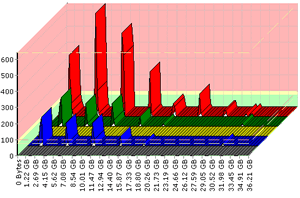
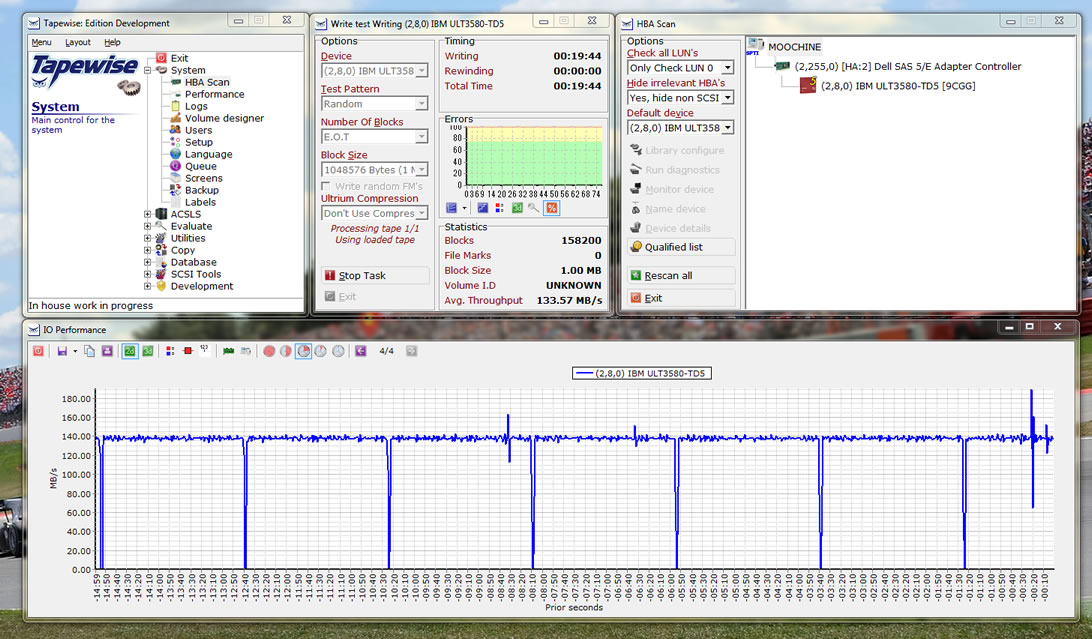
On every Write/Read task that Tapewise performs, it monitors the errors produced at preset intervals (different for each type of media). This information is mapped in real-time and can be examined in more detail in graphical format. At the end of each task this information is stored in the Tapewise database so that it can be reproduced in the future. The maps produced by Tapewise give a clear and concise analysis of the tape, allowing you to immediately identify media problems.